


Wio Terminal
9,000৳
Description
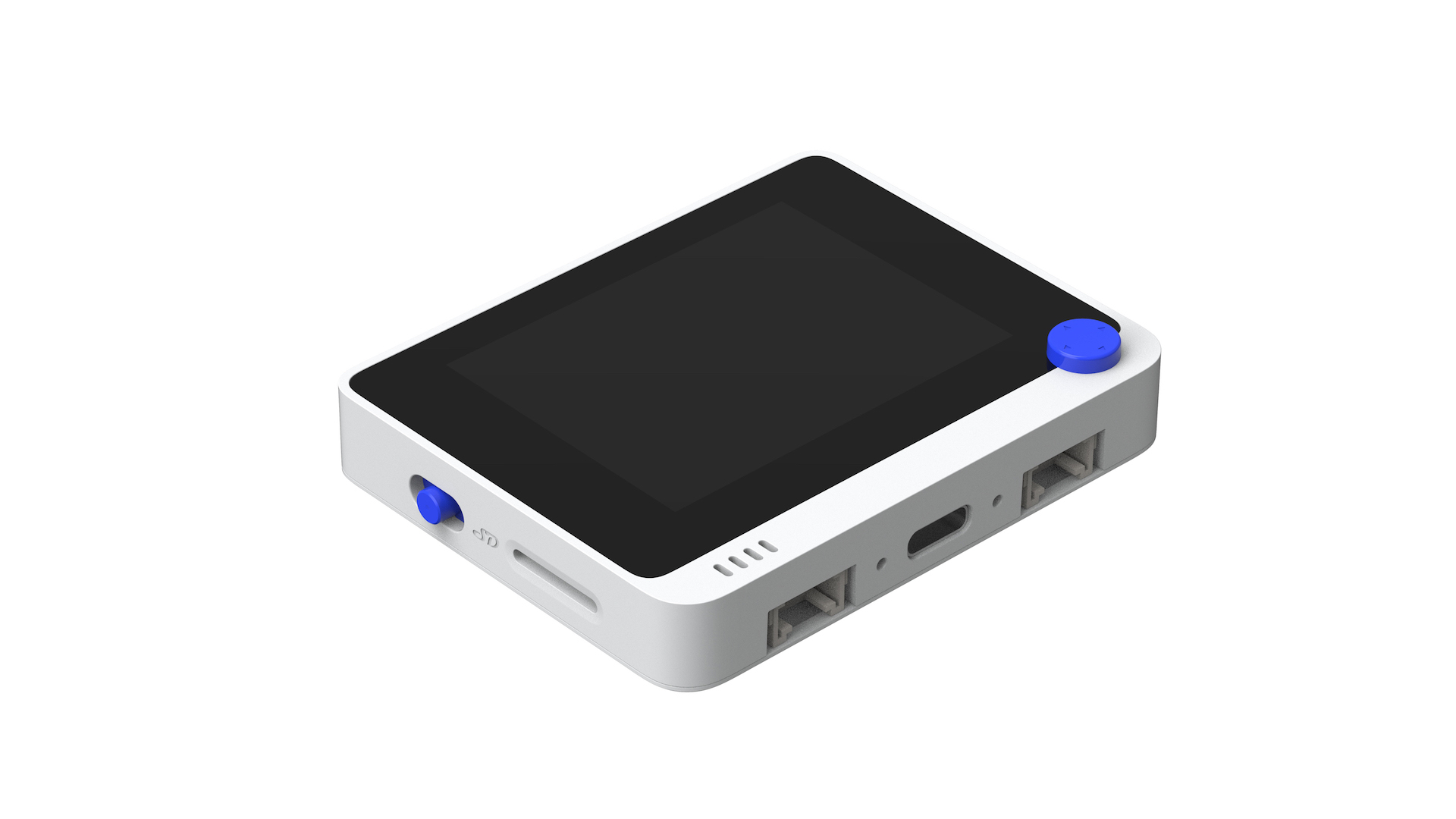
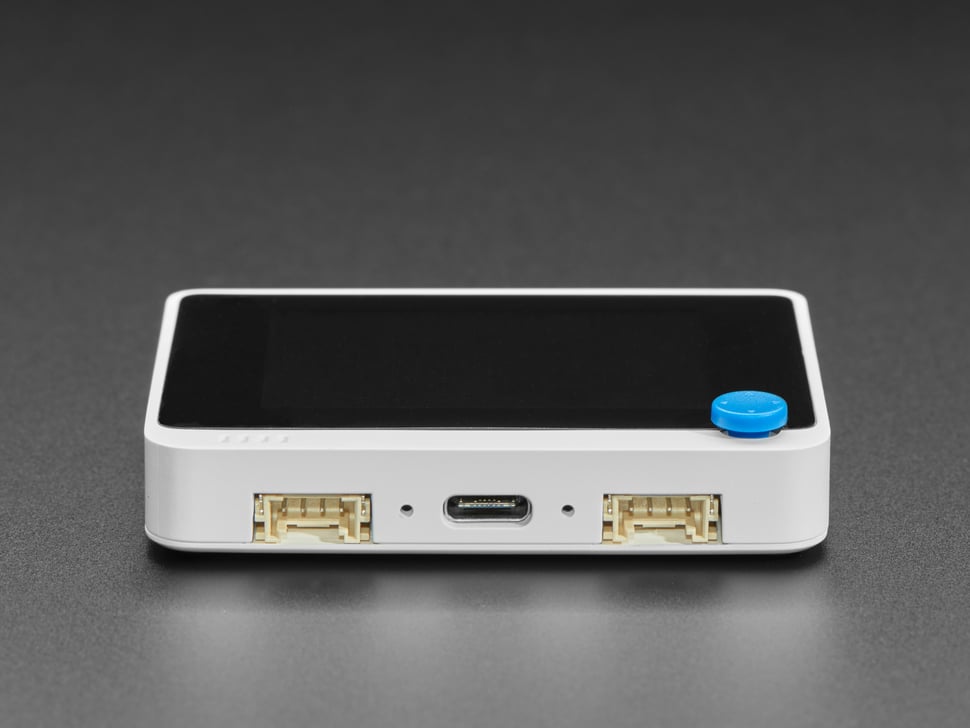
The Wio Terminal is a SAMD51-based microcontroller with Wireless Connectivity powered by Realtek RTL8720DN that’s compatible with Arduino and MicroPython. Currently, wireless connectivity is only supported by Arduino. It runs at 120MHz (Boost up to 200MHz), 4MB External Flash and 192KB RAM. It supports both Bluetooth and Wi-Fi providing backbone for IoT projects. The kit itself is equipped with a 2.4” LCD Screen, onboard IMU(LIS3DHTR), Microphone, Buzzer, microSD card slot, Light sensor, and Infrared Emitter(IR 940nm). On top of that, it also has two multifunctional Grove ports for Grove Ecosystem and 40 Raspberry pi compatible pin GPIO for more add-ons.
Feature
- Highly Integrated Design
- MCU, LCD, WIFI, BT, IMU, Microphone, Speaker, microSD Card, Light Sensor, 5-Way Switch, Infrared Emitter (IR 940nm), Crypto-authentication Ready
- Powered by Microchip ATSAMD51P19
- ARM Cortex-M4F core running at 120MHz(Boost up to 200MHz)
- 4 MB External Flash, 192 KB RAM
- Comprehensive Protocol Support
- SPI, I2C, I2S, ADC, DAC, PWM, UART(Serial)
- Powerful Wireless Connectivity (supported only by Arduino)
- Powered by Realtek RTL8720DN
- Dual Band 2.4Ghz / 5Ghz Wi-Fi (802.11 a/b/g/n)
- BLE / BLE 5.0
- USB OTG Support
- USB Host
- USB Client
- Grove Ecosystem
- Software Support
- Arduino
- MicroPython
- ArduPy
- AT Firmware
Specification
| Main Chip | Manufacturer Part Number | ATSAMD51P19 |
|---|---|---|
| Core Processor | ARM® Cortex®-M4F | |
| CPU Speed | 120MHz(Boost up to 200MHz) | |
| Program Memory Size | 512KB | |
| External Flash | 4MB | |
| RAM Size | 192KB | |
| Operating Temperature | -40°C ~ 85°C (TA) | |
| LCD Screen | Resolution | 320 x 240 |
| Display Size | 2.4 inch | |
| Driver IC | ILI9341 | |
| Wireless connectivity | Manufacturer Part Number | RTL8720DN |
| KM4 CPU | ARM® Cortex®-M4F | |
| KM0 CPU | ARM® Cortex®-M0 | |
| Wi-Fi | 802.11 a/b/g/n 1×1, 2.4GHz & 5GHz | |
| Bluetooth | Support BLE5.0 | |
| Hardware Engine | AES/DES/SHA | |
| Built-in Modules | Accelerometer | LIS3DHTR |
| Microphone | 1.0V-10V -42dB | |
| Speaker | ≥78dB @10cm 4000Hz | |
| Light Sensor | 400-1050nm | |
| Infrared Emitter | 940nm | |
| Interface | microSD Card Slot | Maximum 16GB |
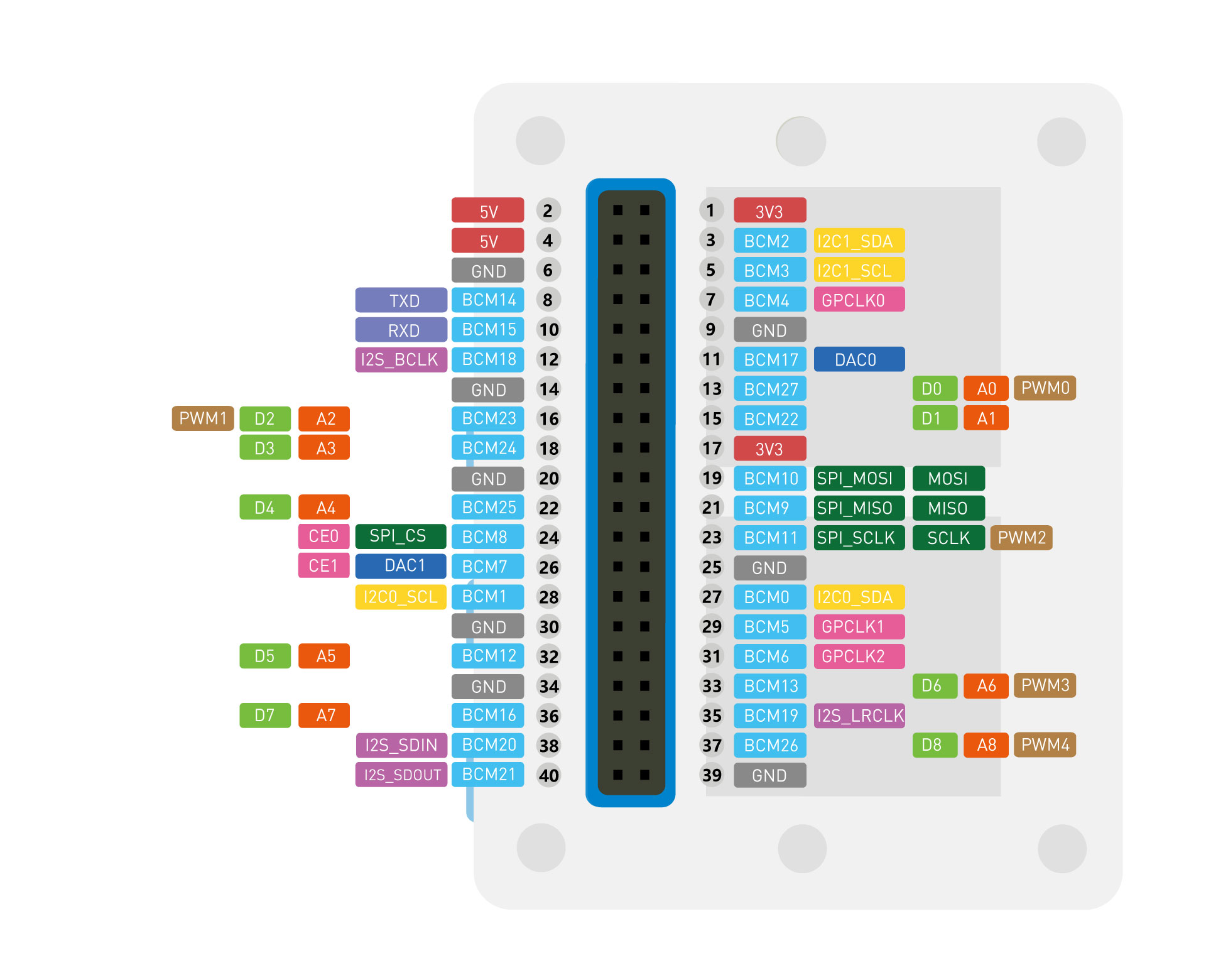
| GPIO | 40-PIN (Raspberry Pi Compatible) | |
| Grove | 2 (Multifunction) | |
| FPC | 20-PIN | |
| USB Type-C | Power & USB-OTG | |
| Operation interface | 5-Way Switch | / |
| Power/Reset Switch | / | |
| User Defined Button *3 | / | |
| Enclosure | Dimension | 72mm57mm12mm |
| Materials | ABS+PC |
Hardware Overview

Pinout Diagram

Getting Started
Hardware
Materials required
- Wio Terminal x 1
- Computer x 1
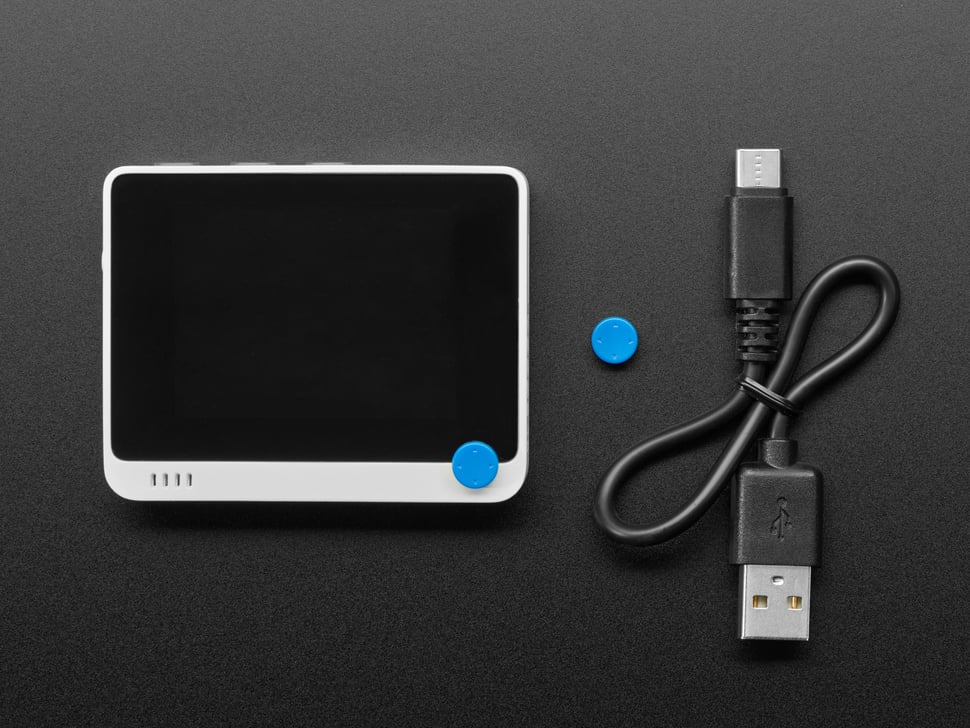
- USB Type-C Cable x 1
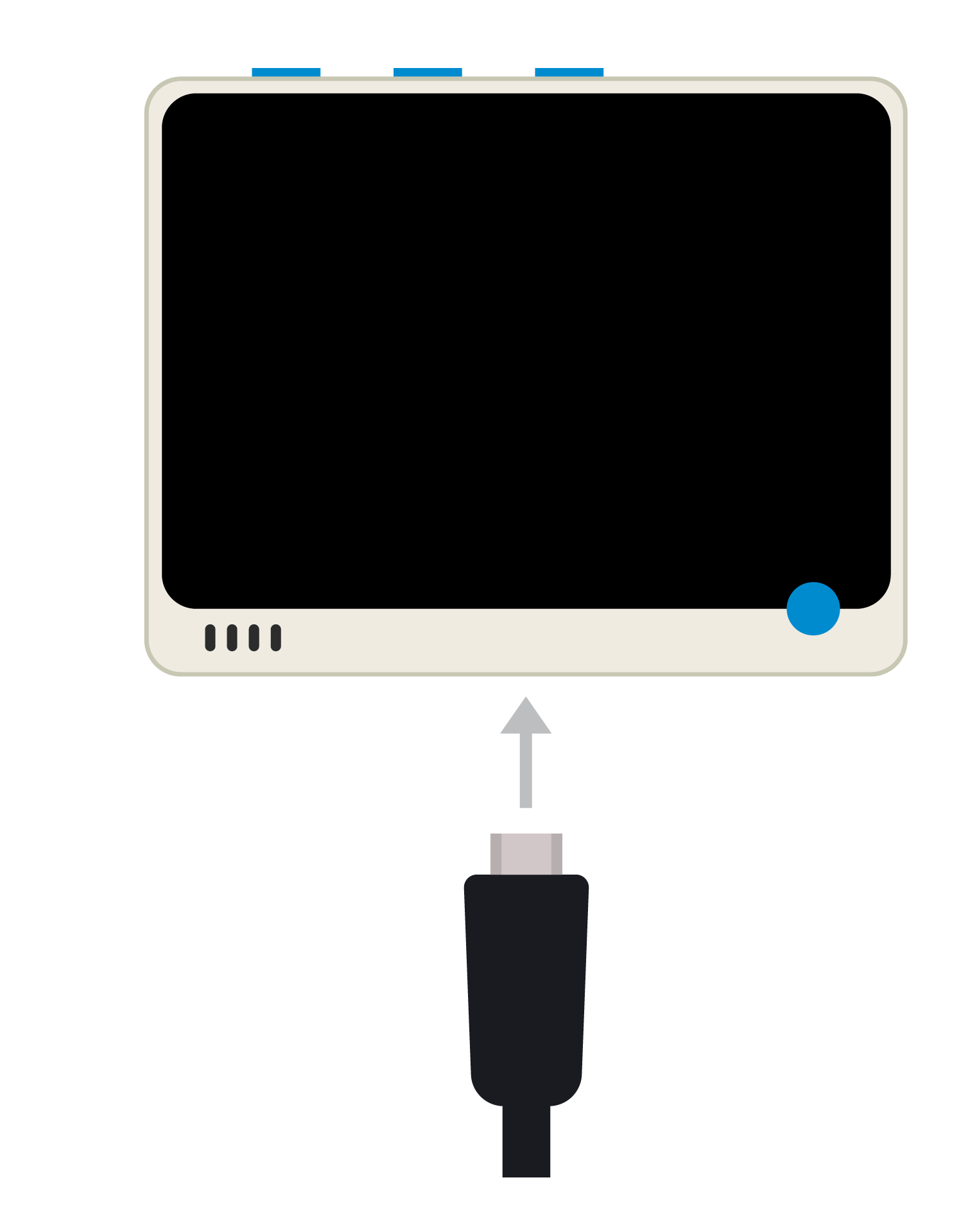
Connect the kit to your computer via USB cable. The blue LED on the back should light up.
Resources
- [PDF] ATSAMD51N19A Datasheet
- [PDF] Wio Terminal Schematics
- [ZIP] Wio Terminal Schematics
- [PDF] Wio Terminal Enclosure Dimensions – Front
- [PDF] Wio Terminal Enclosure Dimensions – Back
- [AI] Wio-Terminal-Screen-Sticker-Design-File(Wio-Terminal-ちゃん)
- [AI] Wio-Terminal-chan-Desgin-File-blue&white
- [DXF] Wio Terminal Enclosure Dimensions – Front
- [DXF] Wio Terminal Enclosure Dimensions – Back
- [DXF] Wio Terminal Battery Chassis Dimensions
- [DXF] Wio Terminal PCB Dimensions
You must be logged in to post a review.


Reviews
There are no reviews yet.